


Transaction Platform
On this page
Transaction Platform manages accounts, balances, transactions, and business rules behind your financial product. Three interfaces give operational teams, customers, and merchants access to those shared capabilities.
| Interface | Who uses it | Main purpose |
|---|---|---|
| Admin Panel | Operations teams and administrators | Configure the product, manage customers, and monitor financial activity. |
| End-user Apps | Individual and business customers | Access accounts, make payments, and manage day-to-day finances through web and mobile apps. |
| Merchant Portal | Merchants | Review payment activity, manage stores, and request withdrawals. |
For example, a customer initiates a transfer in an app, the Platform applies the configured rules, and an operations team reviews the transaction in the Admin Panel. External payment or banking services are connected through integrations when the transaction requires them.
SDK.finance Admin Panel
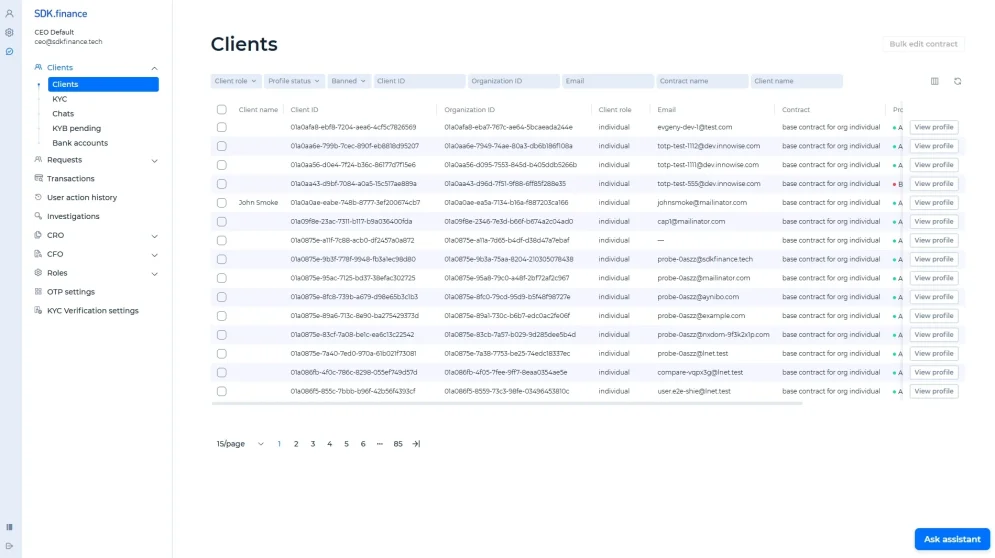
The Admin Panel is the back office for operating your financial product. Customer support, operations, finance, and administration teams use it to manage customers, investigate activity, and configure settings within their assigned permissions. The Clients workspace brings customer filters, profile records, and contract information together in one view.
Customer operations
Open a customer profile to review their details, verification status, accounts, and activity. In manual KYC, customers upload documents and a specialist reviews them before approving the profile.
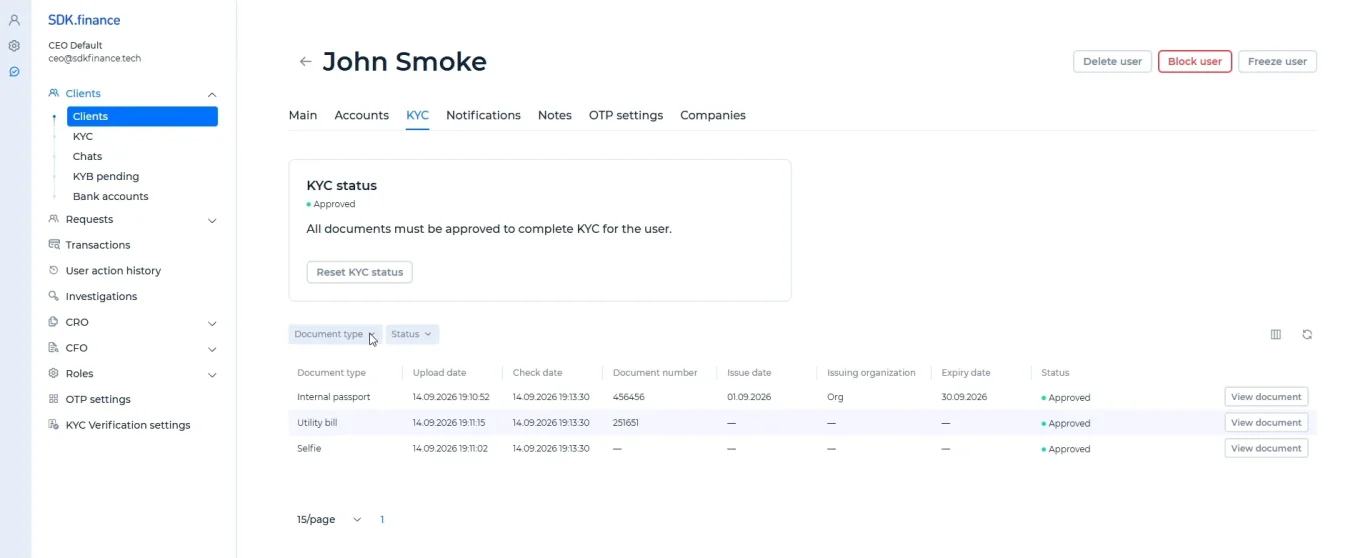
- Review documents: check submitted documents and their approval statuses.
- Approve the profile: all mandatory documents must be approved first.
- Follow customer activity: review linked accounts and transactions.
Business profiles can include company details, representatives, and shareholders. Verification can use an integrated provider or manual KYC.
Accounts and balances
The Accounts tab lists a customer’s accounts, currencies, statuses, and balances. Compare the total amount with the available amount to understand what the customer can use.
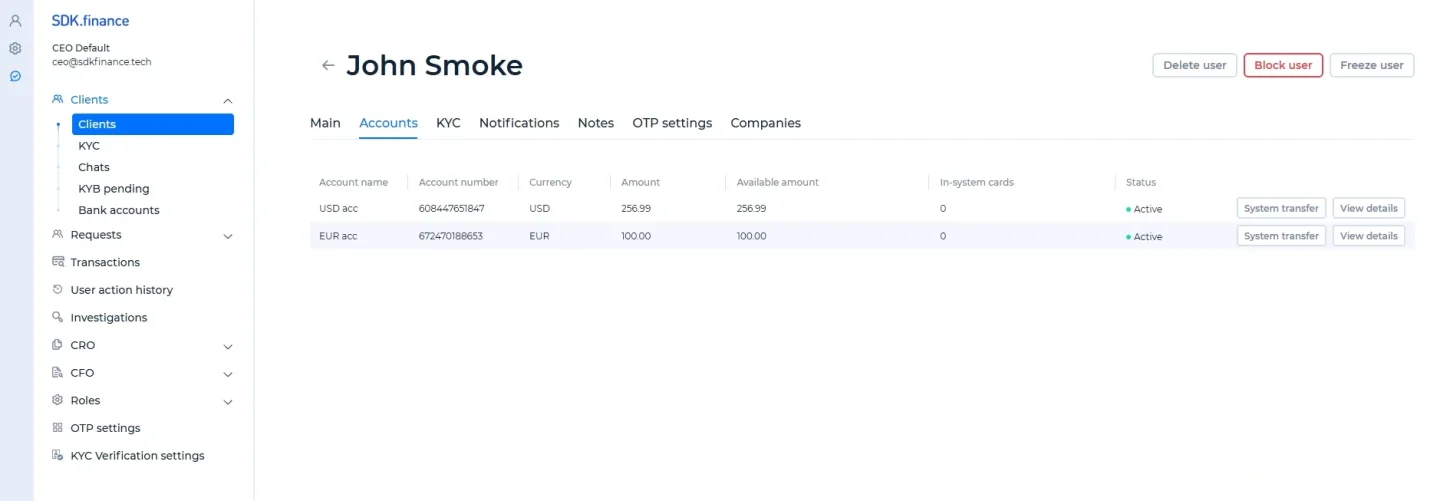
- Identify the account by name and number.
- Compare the currency, total amount, and available amount.
- Check the account status and open its details.
Payments and transactions
Review internal transfers and payments handled through connected providers. Open a transaction to check its status, amounts, fees, and related account before investigating pending or unsuccessful activity.
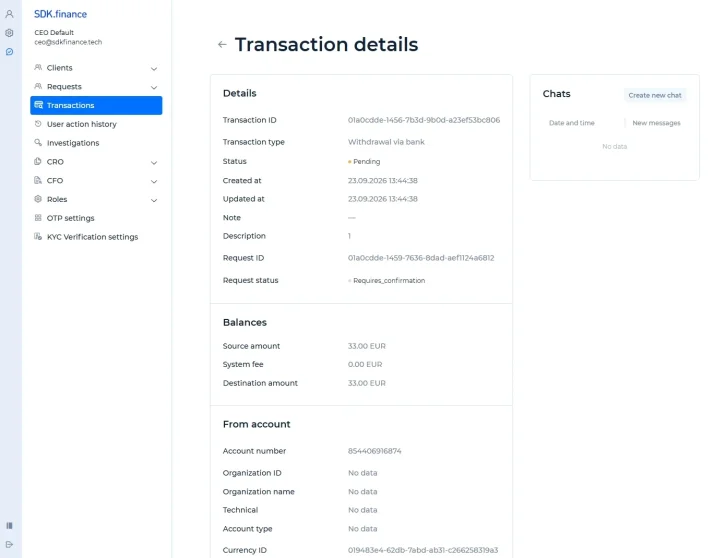
- Status and timing: transaction type, transaction and request statuses, and creation and update dates.
- Amounts and fees: source amount, system fee, and destination amount.
- Related account: source account number, account type, and currency reference.
Product configuration
Contracts define the fees and limits that apply to customer operations. Configure rules by contract and operation to offer different service terms to different customer groups.
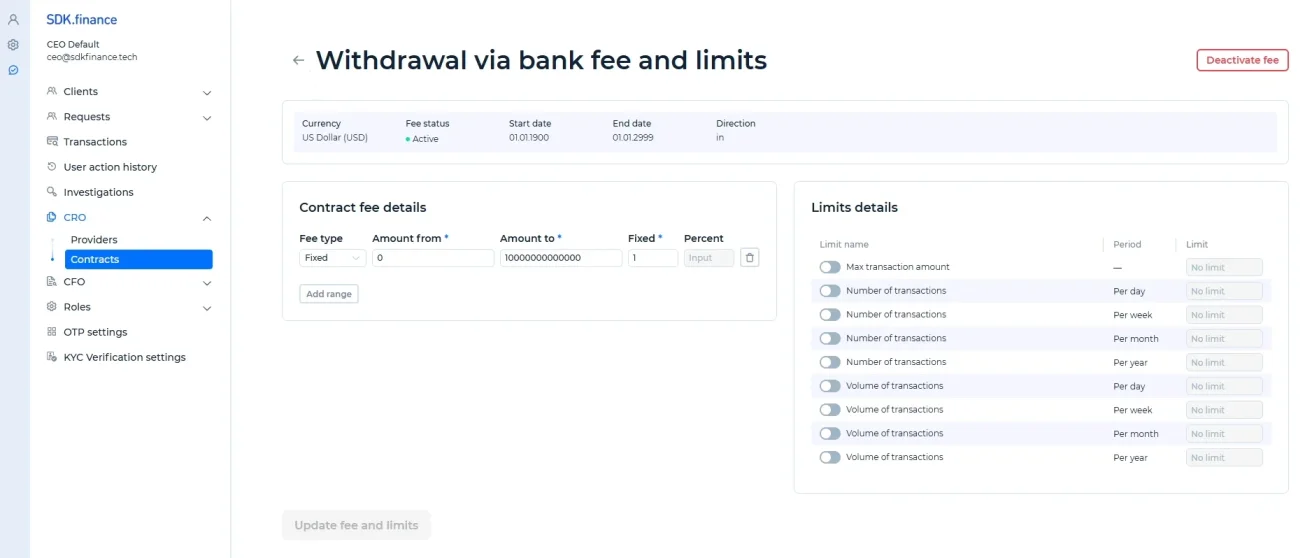
- Fee structure: define amount ranges and fixed or percentage-based charges.
- Transaction limits: set maximum amounts, transaction counts, or volumes over a period.
- Effective settings: review currencies, status, and the dates for which a fee applies.
Other configuration areas cover currencies, provider settings, and notifications. Available options depend on the selected operation and connected services.
Control and reporting
Staff access depends on assigned roles. User action history records sessions and activity, while reconciliation helps teams investigate differences between platform records and external data.
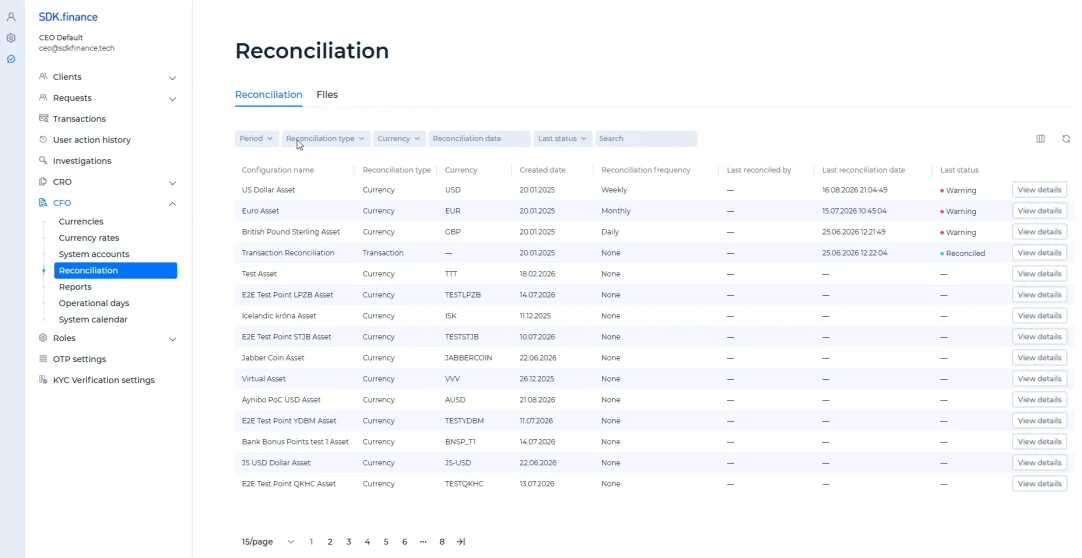
- Reconciliation scope: identify the configuration, type, and currency being checked.
- Schedule and history: review the frequency, last run, and responsible user.
- Exceptions: open warning or unresolved results to investigate differences.
Transaction reconciliation compares platform records with uploaded files from banks or payment providers. For custom reporting, external systems can consume transaction updates through Kafka.
End-user Apps
Web and mobile apps give individual and business customers access to your financial product under your brand. The same core account and payment capabilities support different customer journeys.
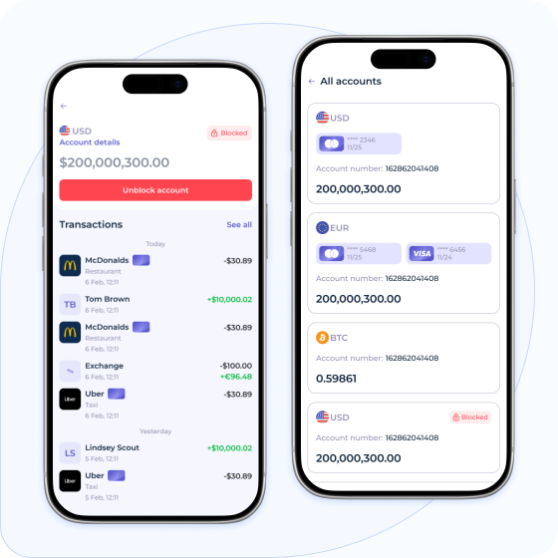
| Customer journey | What the user can do |
|---|---|
| Onboarding and verification | Register, submit information and documents, and follow the verification process. |
| Accounts and payments | Review wallet balances, initiate supported payments and transfers, and track transaction history. |
| Statements and support | Review account history, download statements, and contact support about an account or transaction. |
| Profile and security | Manage profile details, password and verification settings, and notifications. |
| Business accounts | Create a company account and manage its members, in addition to account and payment activity. |
White-label interfaces can be adapted to your brand. The available journeys depend on configuration, customisation scope, and provider integrations; card services and external payment methods require the relevant connected providers.
Merchant Portal
The Merchant Portal gives merchants a dedicated view of the payment activity relevant to their business. It focuses on transactions, balances, stores, and withdrawals.
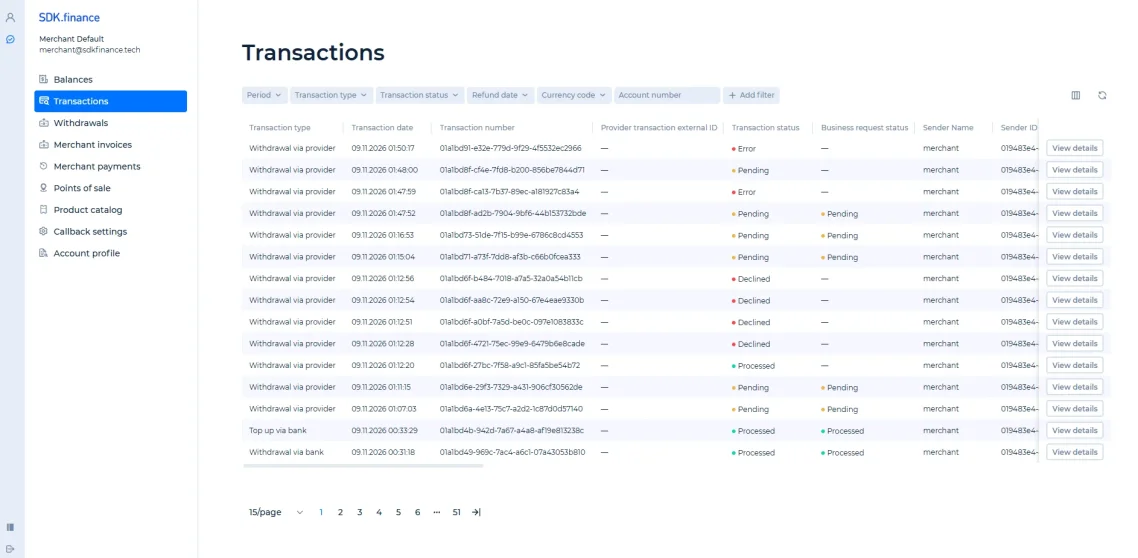
- Review the business: check the dashboard and merchant balances.
- Inspect a payment: find a transaction and review its details.
- Manage stores: organise the stores associated with the merchant.
- Request a withdrawal: follow the withdrawal workflow and check its status.
For a first walkthrough, open the dashboard, review a transaction, and inspect a store or withdrawal. Settlement arrangements and any additional reporting or team-access requirements should be checked against the selected implementation.